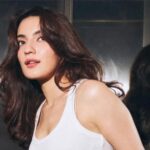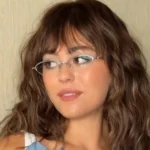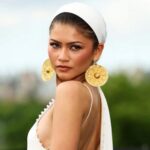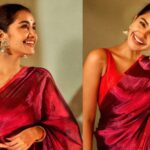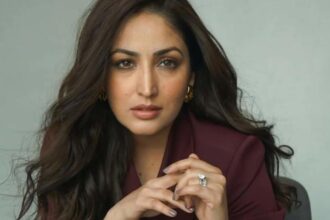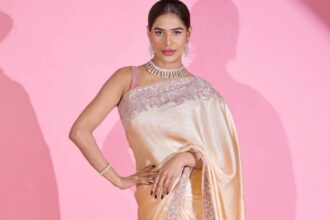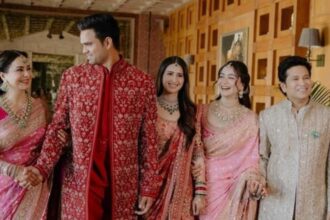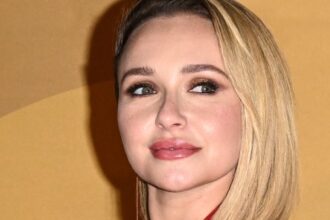




A new AI photo trend is giving social media feeds a nostalgic makeover, with users transforming modern portraits into glamorous images inspired by vintage film photography.
The trend has become especially popular for 1980s-style portraits, recreating the grainy textures, dramatic lighting, bold fashion and soft-focus look associated with analogue cameras of the era. But the trend is not limited to the 80s. Similar prompts can turn an ordinary photograph into a portrait inspired by the 1960s, 1970s or 1990s.
AI image tools such as ChatGPT, Google Gemini, Google Flow and other photo-editing platforms can be used for these transformations, depending on the image-editing features available to the user.
If you want to experiment with the trend, these ready-to-use prompts can help create distinct vintage looks while asking the AI to preserve your facial appearance.
See more of our coverage in your search results.
Add Hunterfly on GoogleGlamorous 1960s Portrait
The 1960s were known for structured fashion, voluminous hairstyles, graphic silhouettes and polished makeup. A mid-century-inspired treatment can give a modern photograph the appearance of a classic studio portrait.
Prompt:
“Transform this photo into a glamorous 1960s-inspired portrait while preserving the person’s facial identity, facial features and natural skin tone. Add era-appropriate clothing featuring structured silhouettes, clean geometric lines and elegant accessories. Create a voluminous, neatly styled mid-century hairstyle. Use a classic mid-century studio or interior backdrop, soft directional lighting and subtle analogue film grain. Keep the result realistic and photographic, with authentic vintage texture rather than a cartoon or illustration.”
Warm and Free-Spirited 1970s Look
The 1970s brought flowing fabrics, earthy colours, statement jewellery and relaxed hairstyles. The decade’s warm colour palette also works particularly well with AI-generated vintage photography.
Prompt:
“Transform this photo into a realistic 1970s-inspired portrait while keeping the person’s facial identity, facial structure, expression and natural skin tone unchanged. Style the subject in flowing period-appropriate clothing, warm earthy tones and statement jewellery. Add feathered or layered 1970s-inspired hair. Use warm golden lighting, a vintage interior setting and a slightly faded analogue film texture with natural grain. Make the image look like an authentic photograph taken on a 1970s film camera.”
Bold and Dramatic 1980s Glamour
For anyone following the current AI photo trend, the 1980s look is arguably the most dramatic. Think voluminous hair, statement earrings, bold silhouettes, saturated colours and theatrical studio lighting.
See more of our coverage in your search results.
Add Hunterfly on GooglePrompt:
“Transform this photo into a glamorous 1980s film-camera portrait while preserving the person’s exact facial identity, facial features, expression and natural skin tone. Add an authentic 1980s fashion look with a bold silhouette, statement earrings and voluminous hair. Use dramatic studio lighting with a subtle soft-focus flash effect, rich saturated colours and realistic analogue film grain. Add slight atmospheric haze and natural photographic imperfections associated with vintage film cameras. Keep the image sophisticated, realistic and editorial rather than overly artificial.”
Minimalist 1990s Aesthetic
The 1990s offer a much more understated alternative to the colourful 80s aesthetic. Simple outfits, glossy natural makeup, relaxed hairstyles and everyday locations can create a convincing retro portrait.
Prompt:
See more of our coverage in your search results.
Add Hunterfly on Google“Transform this photo into a realistic 1990s-inspired portrait without changing the person’s facial identity, facial features, expression or natural skin tone. Style the subject in understated, chic 1990s clothing with natural glossy makeup and an era-appropriate hairstyle. Place the subject in a simple bedroom, café or casual urban setting. Use soft natural lighting, muted slightly desaturated colours and subtle 35mm film grain. Make the photograph feel candid, authentic and nostalgic rather than digitally generated.”
How to Get Better Results From AI Photo Prompts
The quality of the original photograph can make a significant difference to the final result. A clear portrait with good lighting and a visible face generally gives an image-editing tool more information to work with.
For stronger results, specify the decade, clothing, hairstyle, lighting, location, camera aesthetic and film texture you want. If preserving your appearance is important, also ask the tool not to alter facial identity, facial structure or skin tone.
You can further customise the prompts by adding details such as:
- Camera style: 35mm film, vintage point-and-shoot or studio film photography
- Lighting: soft flash, directional studio light or warm natural light
- Texture: fine film grain, faded colours, light haze or analogue imperfections
- Fashion: decade-specific clothing, jewellery and hairstyles
- Location: bedroom, café, studio, street or vintage interior
- Mood: glamorous, candid, romantic, dramatic or editorial
The 80s Remains the Standout AI Vintage Trend
While AI tools can recreate almost any period aesthetic, the 1980s look has become particularly eye-catching because of its bold visual identity.
Big hairstyles, statement fashion, dramatic makeup, colourful styling and imperfect analogue textures create a strong contrast with today’s highly polished smartphone photography. That makes the effect particularly suited to social-media portraits.
The trend has also attracted attention beyond everyday users, with celebrities and public figures joining the wider wave of AI-generated vintage transformations.