




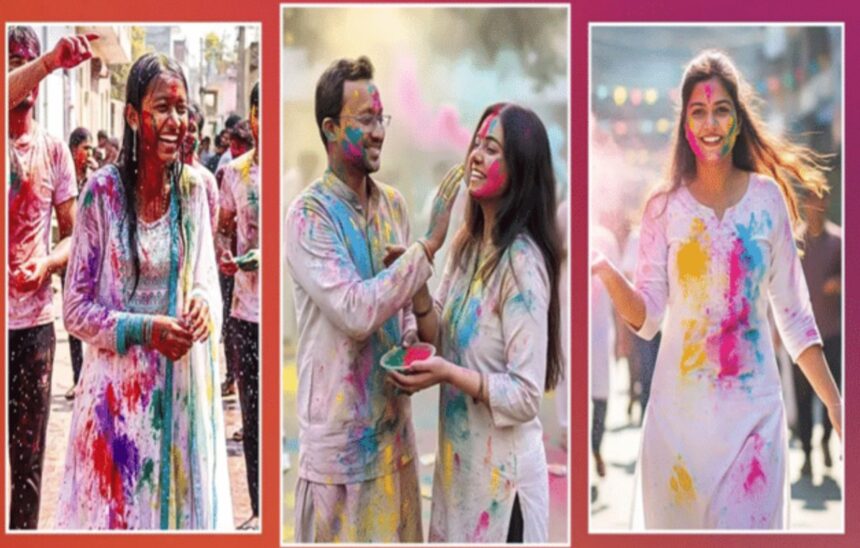
Holi 2026 will be celebrated on March 4, with Holika Dahan on March 3. While festive preparations traditionally revolve around outfits and colours, social media aesthetics have now become just as important.
Earlier, professional photo editing required advanced software and desktop systems. Today, AI-powered tools such as OpenAI’s ChatGPT, Google Gemini and Grok allow users to generate or enhance festive images directly from their smartphones.
Here’s how you can create scroll-stopping Holi visuals instantly.
How Does AI Photo Editing Work?
AI image generators rely on text-to-image or image-enhancement models.
See more of our coverage in your search results.
Add Hunterfly on GoogleYou simply provide a clear, detailed prompt describing:
- Background
- Colour palette
- Lighting style
- Mood and expression
- Cultural elements
The AI interprets these instructions and generates or edits an image accordingly.
Viral Holi AI Prompts You Can Copy
Below are ready-to-use prompts to create high-engagement Holi photos:
1. Cinematic Colour Splash
Create a vibrant Holi atmosphere with clouds of pink and blue gulal floating in the air. Add cinematic lighting, sharp focus, dynamic shadows and an authentic Indian festival vibe.
2. Pastel Elegant Look
Generate a soft pastel Holi portrait with lavender, mint green and sky blue tones. Keep skin tones natural, smooth and glowing with soft daylight lighting.
See more of our coverage in your search results.
Add Hunterfly on Google3. Pure Desi Vibes
Transform the image into a traditional Indian Holi celebration scene. Add gulal on the face, marigold flower décor, bright sunshine and traditional ethnic attire.
4. Action & Slow-Motion Scene
Create a high-energy Holi shot with colours exploding mid-air in slow motion. Add dramatic backlighting and expressive festival emotions.
5. Magical Night Holi
Design a modern night-time Holi scene with neon glowing colours, fairy lights, soft bokeh background and cinematic night photography.
See more of our coverage in your search results.
Add Hunterfly on GoogleHow to Use These Prompts
- Open an AI image generator app such as Gemini or ChatGPT Plus on your mobile device.
- Upload your existing photo or request a new AI-generated avatar.
- Paste your selected Holi prompt.
- Generate the image and download your social-media-ready photo within seconds.
Why AI-Generated Holi Photos Perform Better
Social media algorithms tend to amplify visually striking content. Bright colours, cinematic lighting and creative compositions often lead to:
- Higher engagement rates
- Increased shares
- Better profile visibility
AI tools make it easier for users to create professional-grade festive content without technical editing skills.
Important Tips Before Generating
- Avoid excessive over-editing.
- Maintain natural skin tones.
- Use a high-quality original image for best results.
- Be highly specific in your prompts for improved accuracy.